Jump to your pick
Stock alert apps are not all solving the same problem. Some only fire when a price crosses a line. Others surface news, earnings, volatility regimes, or portfolio-wide risk. Choosing the wrong one means either drowning in noise or missing the signals that actually matter.
This comparison covers five categories: portfolio risk alerts, technical chart alerts, free price alerts, news alerts, and broker-native alerts. Guardfolio fits the risk-monitoring end of the spectrum. If that's what you need, also see: portfolio monitoring, portfolio alerts for concentration and drift, multi-account portfolio tracker, concentration risk guide, portfolio analytics, and a free portfolio risk analysis.
Who this is for: investors choosing between simple price notifications and portfolio-level risk alerts. Who this is not for: ultra-short-term trading signal services or penny-stock screeners.
Two types of alerts — and why the difference matters
Most investors only set price alerts (e.g., "notify me if Apple drops below $150"). That's a reactive tool — it fires after a stock already moved. Portfolio risk alerts are different: they fire when something changes in the structure of your holdings.
- Price alerts: single-ticker threshold crossing. Reactive by definition.
- Volatility alerts: implied or realised volatility spike on a security or your portfolio.
- News & earnings alerts: real-time updates on events that move prices.
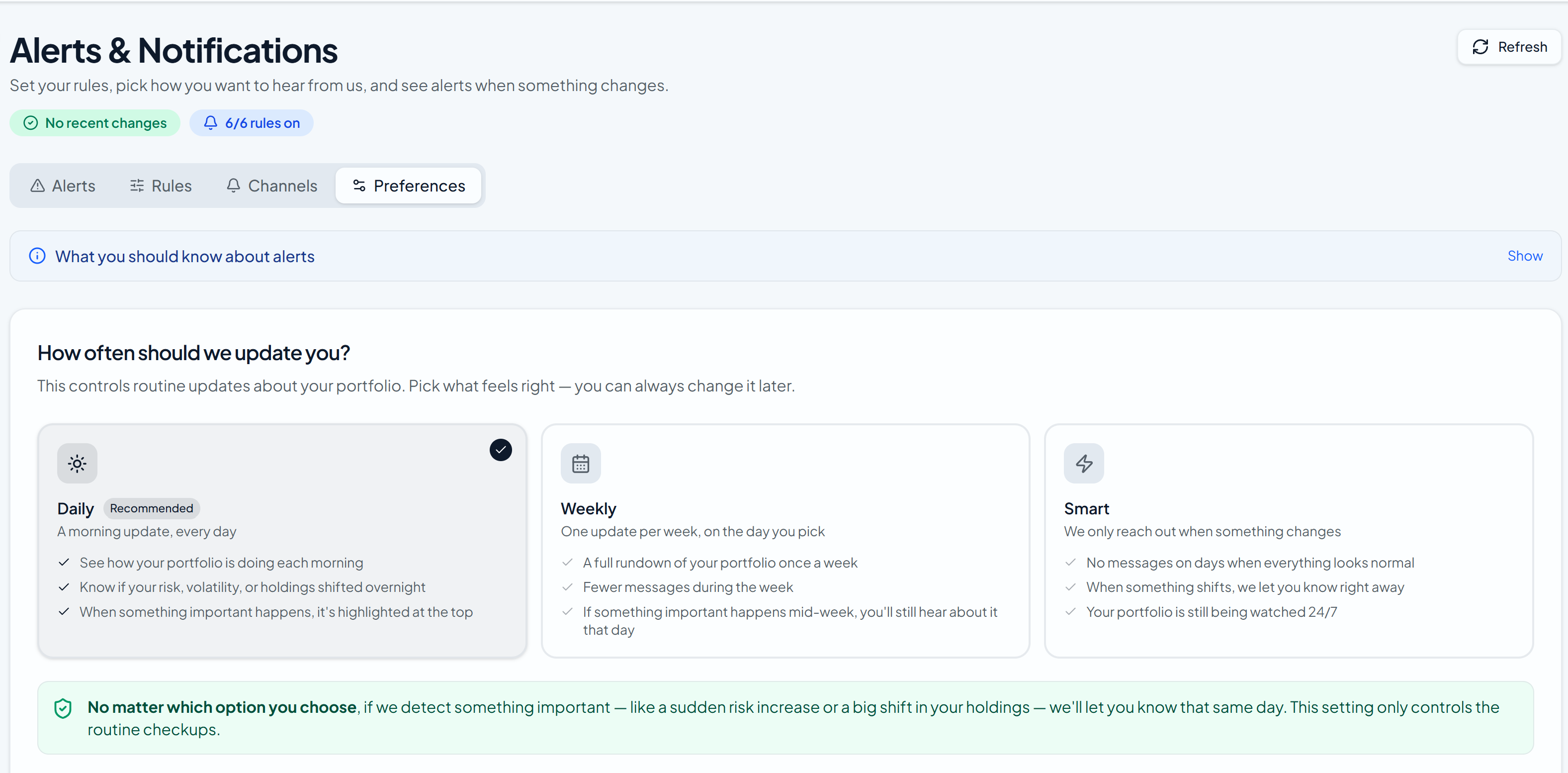
- Portfolio risk alerts: fires when your portfolio becomes too concentrated in one stock or sector, when ETF overlap creates hidden duplication, when allocation drifts from target, or when correlation structure changes. These are the alerts that act before damage is done.
Key distinction: a price alert tells you after the damage is done. A risk alert tells you before a concentration or drift problem becomes expensive.
How we evaluated each app
We tested each tool across five dimensions:
- Trigger depth: price-only, technical indicators, news, or portfolio-level risk events.
- Signal quality: how well the app reduces noise and surfaces alerts worth acting on.
- Delivery: push, email, SMS, and in-app reliability during high-volatility market hours.
- Portfolio context: whether the tool understands cross-account and cross-ETF exposure.
- Free-tier value: what you actually get before paying — and whether the paid tier is worth it.
Full comparison: 5 apps side by side
| App | Best for | Alert types | Free tier | Starting price | Portfolio risk |
|---|---|---|---|---|---|
| Guardfolio | Portfolio-wide risk & drift alerts | Concentration, overlap, volatility, drift | Yes | $0 / free tier | Full coverage |
| TradingView | Technical analysis & chart triggers | Price, indicators, drawings, strategies | Limited | $14.95/mo | None |
| Yahoo Finance | Simple free price notifications | Price only | Yes | Free | None |
| Seeking Alpha | News, earnings & analyst alerts | News, earnings, ratings, dividends | Limited | $19.99/mo | None |
| Broker Alerts | Execution-adjacent workflows | Price, order status, margin | Yes | Included | None |
Only Guardfolio covers portfolio-level risk alerts
Every other tool in this table alerts on individual tickers. Guardfolio fires when your whole portfolio needs attention.
Guardfolio
Best for investors who want to know when their portfolio is drifting into dangerous territory — before it shows up in their returns.
Guardfolio takes a fundamentally different approach. Rather than watching individual ticker prices, it evaluates how your entire supported portfolio is behaving across brokerage and retirement accounts.
When a single position swells past 10% of your portfolio, or a sector reaches 30%, or two ETFs you hold start sharing 60%+ of their holdings, Guardfolio sends an alert. These are the triggers that most investors miss entirely because they're monitoring tickers, not structure.
Free portfolio risk check — no credit card
Concentration, ETF overlap & drift alerts. No broker login to start.
TradingView
Best for traders who want alerts tied to chart patterns, indicators, and price action strategies.
TradingView is the gold standard for chart-based alerts. Its server-side alert system lets you trigger notifications on virtually any combination of indicators — RSI crossing 30, MACD histogram turning positive, a price breaking a multi-year trendline — without keeping your device running.
The free plan is limited to a handful of alerts. Real active use requires a paid tier, which starts at $14.95/month for Essential. Most active traders end up on the Plus or Premium tiers for more simultaneous alerts and faster refresh rates.
Yahoo Finance
Best for investors who want zero-friction price notifications with no setup cost.
For casual investors who just want to know if a stock hit a certain price, Yahoo Finance is hard to beat on simplicity. The app is free, covers virtually every asset class, and sends push notifications for basic price thresholds.
The ceiling is also low. Yahoo Finance offers price alerts only — no indicator triggers, no portfolio-level context, no cross-account monitoring. Most investors eventually add a second system for portfolio-level signals that price alerts alone can't capture.
Seeking Alpha
Best for investors who want to stay ahead of earnings surprises, analyst rating changes, and dividend news.
Seeking Alpha's alert system is built around corporate events rather than price levels. You can subscribe to alerts for earnings reports, analyst upgrades or downgrades, dividend announcements, and SEC filings — getting notified as the news breaks rather than after a price has already moved.
The free tier is very limited. Most of the useful alert functionality — SA Quant ratings changes, dividend safety scores, earnings estimate revisions — requires a paid Premium subscription. It's a research and fundamental-analysis tool that happens to have alerts, not the other way around.
Broker alerts (Fidelity, Schwab, Vanguard, etc.)
Best for execution-adjacent notifications within a single custodian's ecosystem.
Most brokers — Fidelity, Schwab, Vanguard, Robinhood, E*TRADE — offer built-in price alerts that trigger when a position hits a threshold. They also alert on order fills, margin calls, corporate actions, and account security events. These are valuable for operational workflows and they're free.
The blind spot: broker alerts only see what's inside that custodian. If you hold positions across Fidelity and Schwab, neither broker knows your aggregate risk. Investors with multiple accounts need a cross-account layer on top.
Who should use which alert stack
Most investors need more than one layer. Here's the recommended stack by profile:
- Technical trader: TradingView for chart-based entry/exit alerts + broker alerts for order fills.
- Casual investor: Yahoo Finance for basic price thresholds. No cost, no setup.
- Long-term allocator: Guardfolio for concentration, overlap, drift, and volatility governance. The layer brokers and price-alert apps can't replace.
- Fundamental investor: Seeking Alpha for earnings and ratings events + broker alerts for execution.
- Multi-account investor: Guardfolio as the cross-account layer + your broker's native alerts for single-custodian workflows.
Practical test: run each app for two weeks and count how many alerts you actually acted on. The right tool is the one that reduces decision latency without flooding you with noise.
Frequently Asked Questions
What is the best app for stock price alerts?
For chart-driven and technical alerts, TradingView. For simple free thresholds, Yahoo Finance. For portfolio-wide risk and concentration alerts across multiple accounts, Guardfolio is purpose-built for that layer.
What is the best free stock alert app?
Yahoo Finance for basic price alerts — completely free with no account required. TradingView's free tier is limited to 1 active alert at a time. Guardfolio offers a free portfolio risk snapshot with no credit card required, covering concentration, overlap, and volatility for your whole portfolio.
Can I get alerts for my entire portfolio risk, not just individual stocks?
Yes — Guardfolio is specifically built for this. Most consumer apps alert on individual tickers; Guardfolio fires on portfolio-level signals like rising sector concentration, ETF look-through overlap, allocation drift past your target, and volatility regime shifts across all your connected accounts.
What is the difference between a price alert and a portfolio risk alert?
A price alert reacts when a single security crosses a price level. A portfolio risk alert reacts when your whole portfolio changes structurally — sector concentration growing past 30%, ETF overlap crossing 60%, drift from target allocation exceeding your band, or a volatility regime shift across your holdings.
TradingView vs Yahoo Finance: which is better for stock alerts?
TradingView wins on customisability — indicator combinations, Pine Script strategies, and server-side execution. Yahoo Finance wins on simplicity — zero learning curve, completely free, and works for any ticker globally. TradingView's free tier is nearly useless for active use (1 alert limit).
Are stock alert apps free?
Basic price alerts are free on Yahoo Finance, most brokers, and some TradingView features. Premium tiers unlock higher alert limits, indicator triggers, faster data, and portfolio analytics. Guardfolio offers a separate free portfolio risk snapshot without signup.
How do I reduce notification spam from stock alerts?
Raise your thresholds, use digest-style delivery where available, and separate price alerts from news alerts into different apps. Portfolio-risk tools like Guardfolio also reduce noise by design — they only fire when something meaningful changes in your portfolio structure, not on every price tick.
Should I use broker alerts or a third-party portfolio alert app?
Both — they serve different purposes. Broker alerts are best for execution workflows at that custodian (order fills, margin calls). Third-party apps are essential when you hold assets across multiple brokers and need a cross-account risk view that no single broker can provide.
See where your portfolio risk is hiding
Most investors only watch individual stock prices. Guardfolio watches your whole portfolio — concentration, overlap, and drift — so you know before it costs you.